
 Free Firewall


Our Awards for
World Class Protection




What makes Comodo Firewall an exceptional security product?

Updating users on suspicious files, folders and programs
Learning your computer habits so it does not interfere with your work
Utilizing preventative tehnology and scans to locate viruses and other malware.
Deny protection” feature which works with executable files to make sure they are safe
Why Comodo Firewall is different
- User-friendly, attractive graphical interface
- DDP- based security keeps you informed and PCs safe
- No complex configuration Issues - perfect for amateur users
- Quickly learn user behaviour to deliver personalized protection
- Lots of configuration options let techies configure things just as they like
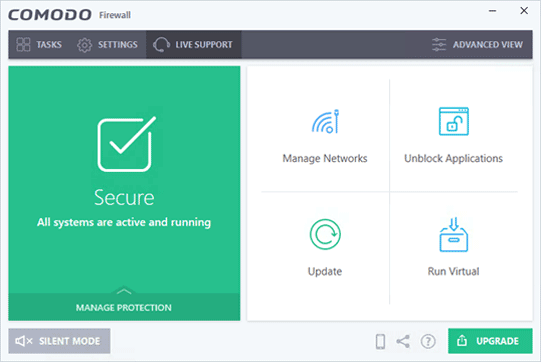
What's Inside Comodo Firewall
Comodo Firewall offers the highest levels of security against inbound and outbound threats.
It checks that all network traffic in and out of your computer is legitimate
It stealths your computer’s ports against hackers and it blocks malicious software from transmitting your confidential data over the internet.
Comodo Firewal also makes it easy for you to specify exactly which applications are allowed to connect to the internet and immediately warns you when there is suspicious activity.
Please see latest release notes
System Requirements
Microsoft® Windows® XP 32bit, Vista/Win7/Win8/Win8.1/Win10
32 or 64-bit, 150 MB RAM
400MB of available hard-disk space